Back
Moonlight-Switch
by XITRIX

|
| Version | 1.5.0 |
| Zip size | 8,629 KiB |
| License | GPLv3 |
| Updated | 25/05/2026 |
| Downloads | 256,497 |
| MD5 | bee44e3d4899a635bb41431b4f1613f4 |
App Details
Moonlight-Switch is a port of Moonlight Game Streaming Project for Nintendo Switch.
Controls:
- Mouse
With touch screen you can move your coursor, tap to left click, scroll 2 fingers to scroll.
While touching screen ZR and ZL buttons will work like left and right mouse buttons.
Also While touching screen L and R sticks will work like scrolling wheel.
USB mouse working as well.
- Keyboard
You can use onscreen keyboard, tap 3 fingers on screen to show it.
USB keyboard working as well.
- Gamepad
By default Switch gamepad configured as X360 gamepad (A/B and X/Y swapped). Key mapping availale in application settings.
Up to 5 gamepads (includes handheld mode) supported. Half of joycons are also supported.
- Ingame overlay
To open overlay, press - and + key simultaneously by default or Hold ESC on keyboard.
Key combination and holding time are configurable in settings.
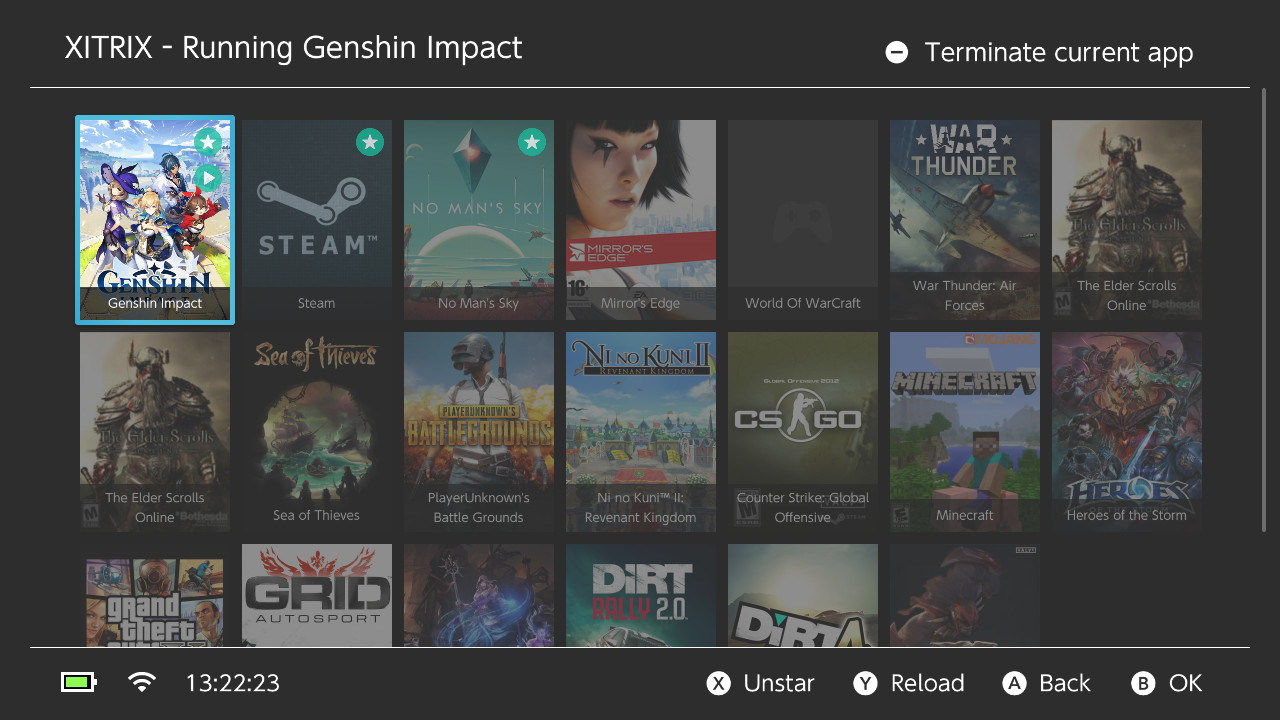
Screenshots
Changelog
v1.5.0
New:
- App forwarder generator
- Fully native Metal renderer for Apple platforms -> better performance and smoother rendering
- VisionOS support
- Windows x64 and ARM support
- DirectX 11 support on Windows
- Android armeabi-v7a support
- Native resolution scale setting
Improvements:
- Major performance improvements
- Non-blocking Metal rendering
- Metal is now the default renderer on macOS
- Mac touchpad input improvements
- Wake on LAN improvements with cancellation UI
- Localization improvements
- Deko3D improvements
- Removed the 60 FPS cap for the SOPS setting
Fixes:
- FFmpeg frame processing and error handling fixes
- Android crash fix
- Windows file path handling fix
- Vision Pro mouse input fix
- Crash on exit fix
Full Changelog: https://github.com/XITRIX/Moonlight-Switch/compare/v1.4.0...v1.5.0
v1.4.0
New:
- Deko3D renderer now used for Nintendo Switch -> Lower CPU pressure on higher streaming settings
Improvements:
- HOS 21 support
Fixes:
- Audren audio renderer by @antoinebou12 in https://github.com/XITRIX/Moonlight-Switch/pull/286
v1.3.4
Improvements:
- moonlight-common-c upgraded
First official iOS release: https://apps.apple.com/mt/app/moonlight/id1587249034
1.3.3
Missing localizations not fallback to English
1.3.2
Fixes a crash
1.3.1
GeForce Experience audio encryption fix: #230
Minor localization fixes: #233 | #231
1.3.0
New:
Frame buffer queue
Sunshine Encryption support added
Host rename
Support for custom ports
Sticks dead zone configuration
Reconnection attempt in case of unexpected termination error
French localization and keyboard
Improvements:
Multithreading improvements, app's UI works faster
Better debug statistics
Fixes:
CURL crash on Host ping attempt
Two finger scrolling and right click gesture