App Details
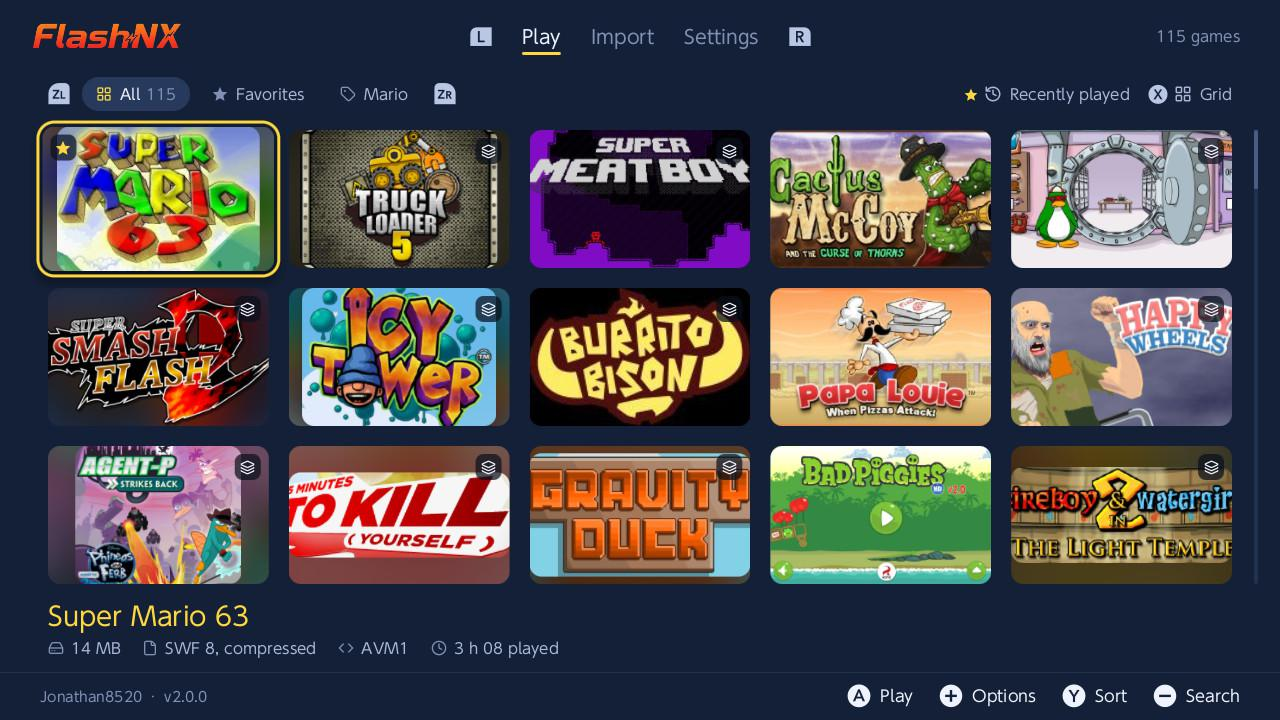
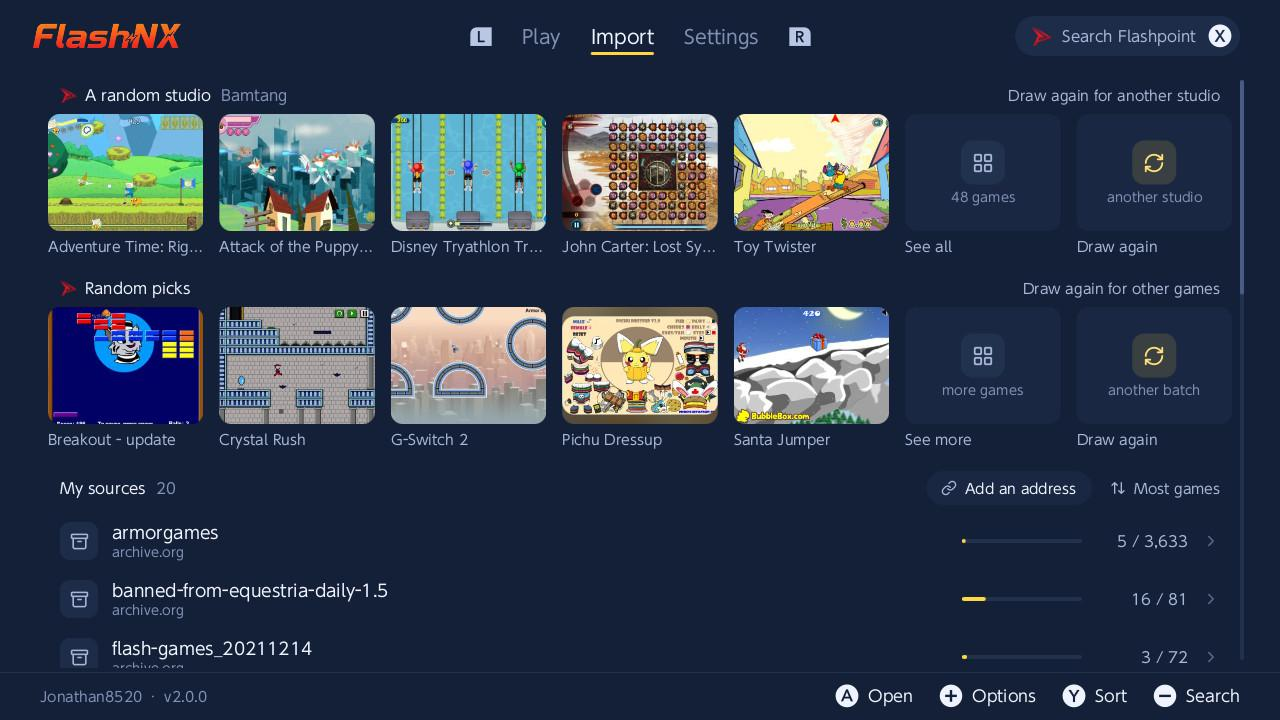
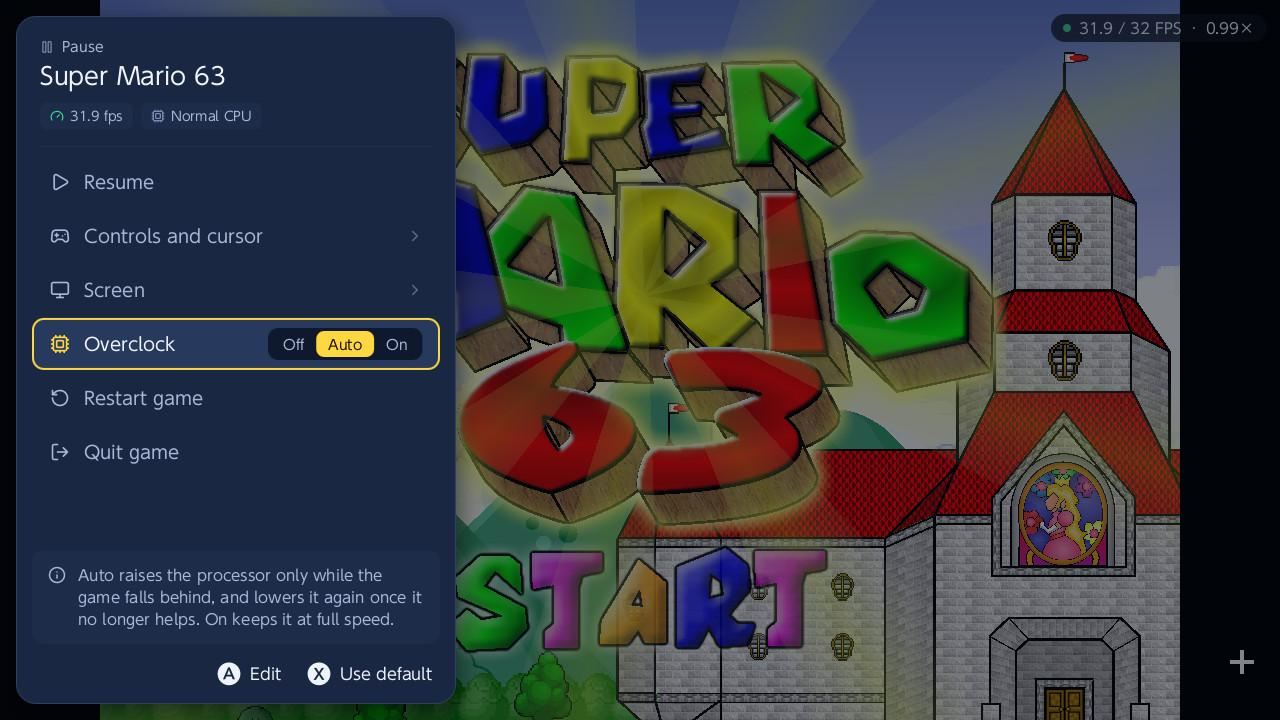
FlashNX is a homebrew Flash player for the Nintendo Switch, powered by Ruffle. Play your .swf games (AS1/AS2 and partial AS3) straight from your SD card. The library is a cover-art gallery with tabs (Play / Import / Settings): sort it, track playtime, set your own covers or fetch them online, and download games and their covers directly from the Flashpoint Archive. Also: in-game remappable controls (48 Flash keys, with a global default), native game saves (.sol), remote import from archive.org over HTTPS, an in-app bug report and suggestion button, and a UI available in English, French, Spanish and Russian (auto-detected from the console language). Heavy games may be limited by Ruffle's ActionScript interpreter (CPU-bound, no JIT). Atmosphère required. Powered by Ruffle (ruffle.rs); all Flash emulation credit goes to the Ruffle project.
Screenshots
Changelog
v1.5.1
Two fixes on top of v1.5.0.
Fixes
- Games no longer turn to a red screen after a long session- (62, 63): after playing one game for a while, launching a different one could show a full red screen. The game file is now read in small chunks instead of one large operation that could spuriously fail once memory had fragmented, so the next game loads reliably.
- Caps Lock can now be mapped to a button- (61): a few games use the Caps Lock key for a mechanic (for example, a stage in This Is the Only Level- that only opens the exit while Caps Lock is held). The visual keyboard in the control editor (TOUCHES) now has a Caps- key you can bind.
v1.5.0
A rework of the control editor, plus new languages and rendering fixes.
Added
- Visual keyboard for remapping- (55): pick a key on a full on-screen PC keyboard instead of a scrolling list; keys already in use are highlighted. F1-F12, symbols and numpad operators can now be bound.
- Button combos, one layer per modifier- (57): hold ZL/ZR/L/R and every other button sends a different key. The four modifiers are independent and work at once, so ZL+A and R+A can differ. Player 1 and Player 2 each have their own layers.
- Turkish, plus a compact flag-grid language picker.
- Show or hide the mouse cursor per game, and a black outline on the pointer so it stays visible over any art.
- Shared control profiles now carry the whole setup: combos, cursor speed and the show-cursor choice, not just the base bindings.
Fixes
- Very large games no longer go to a white screen- (56, e.g. the Henry Stickmin titles).
- Fewer white screens / out-of-memory on heavy games- (freed-and-right-sized bitmap layers).
- Water and distortion effects render correctly: displacement-map filters are now supported, and a texture-packing bug that striped these scenes is fixed.
- Smaller fixes: a game no longer appears twice in the shared-profile catalog; cursor-speed-only changes re-enable sharing.
v1.4.1
A follow-up to the Chinese support in v1.4.0, plus wider import support.
Fixes
- Chinese (and Japanese/Korean) text now shows inside games: v1.4.0 added Chinese to the app's own menus, but text drawn by a running game still came out blank when the game used a system font for it. Games now fall back to the Switch's built-in fonts for any character a game's own font is missing, so in-game CJK text renders. (54)
- Import from Wayback Machine links: a web.archive.org snapshot URL of a .swf is now accepted and downloads the actual game (it used to be treated as an archive.org item and fail).
Changed
- The control-profile catalog is now fully community-driven: the one bundled profile (Super Mario 63) was removed, as it only mirrored the default controls anyway. Share and apply profiles from a game's options as before.
Install: copy FlashNX.nro to /switch/FlashNX/ on your SD card and launch it from the homebrew menu. Powered by Ruffle: https://github.com/ruffle-rs/ruffle.
v1.4.0
Community control profiles, more languages, and Flashpoint games that were impossible to import before.
Added
- Community control profiles (20): share your key bindings for a game and download other players' setups. In a game's options (+), pick "Share my controls" to publish your profile, or "Apply a profile" to browse what the community has shared for that game and try it. Applying a profile is non-destructive and can be reverted, and profiles you shared can be deleted again. Verified and most-applied profiles sort to the top.
- More languages: German, Italian, and Brazilian Portuguese join the menus, plus Simplified Chinese (41), rendered from the Switch's own shared font.
- Numpad keys in the controls editor: the editor now offers Num0–Num9 (the numeric keypad), listed first, for games that read keypad keys separately from the top-row digits. Player 2 defaults to the numpad.
Fixes
- Flashpoint games with a non-ASCII title now import and launch (51): a game whose file name uses non-Latin characters (for example 包丁少女幻窓曲) failed to download with an error -2. Its address is now encoded correctly.
- Flashpoint games that load their assets on the fly now play (51): some games build the paths to their data and art files while running, so those files could not be fetched ahead of time and the game stayed on a blank screen (for example Racing is Magic). Missing files are now pulled from the Flashpoint mirror on demand and cached, for games imported from the Flashpoint search.
Install: copy FlashNX.nro to /switch/FlashNX/ on your SD card and launch it from the homebrew menu. Powered by Ruffle: https://github.com/ruffle-rs/ruffle.
v1.3.1
Local two-player, a touch-driven launcher, and a batch of game fixes.
Added
- Local two-player (two controllers): a second controller drives Player 2 through its own key bindings, for Flash games where two players share one keyboard (for example Fireboy & Watergirl, Dragon Ball Z Devolution). The controls editor has a Player 1 / Player 2 toggle (press X), and both players' keys are saved per game. Player 2 defaults to WASD so it does not clash with Player 1's arrows. Needs two full controllers (a Pro controller or a Joy-Con pair each). (40)
- Touch controls in the launcher: in handheld mode, drag the game gallery to scroll, tap a game to select it, and tap it again to launch.
- Flashpoint content filter toggle: press ZL+ZR in the Flashpoint search results to turn the filter on or off; importing a game also fetches its cover. (33)
- Download of non-zipped Flashpoint games- through the htdocs mirror. (26)
Fixes
- Super Smash Flash: the announcer now plays, and the game no longer freezes on a blank screen after a fight instead of showing COMPLETE. Its audio uses the Nellymoser format, which was not enabled. (29)
- No more crash when some games save- a self-referential object (for example Hemp Tycoon). (33)
- Color speckle on translucent effects fixed- (for example the smoke in Offroaders). (38)
- Flashpoint games with a space in their name now launch the right file- instead of the first one found in the archive.
- The "&" character now shows in the menus- (it was missing from the UI font, so titles like "Fireboy & Watergirl" dropped it).
Powered by Ruffle: https://github.com/ruffle-rs/ruffle.
v1.3.0
Multi-file games, Flashpoint downloads that actually start, an in-game keyboard, favorites, a more configurable control editor, and a fix for games that showed a blank white screen.
Highlights
- Multi-file games: games that load other .swf files at runtime now find them in a .files/ folder. Companions are fetched automatically on a Flashpoint download. Garfield's Scary Scavenger Hunt- plays start to finish.
- Flashpoint downloads bring the whole game- and launch the right version. Papa Louie 2- now starts instead of getting stuck on a sponsor screen.
- In-game keyboard: the Switch keyboard opens when a Flash game wants text (names, passwords, level codes).
- Favorites: pin games to the top of the Play gallery.
- More configurable controls: assignable mouse clicks, SL/SR, stick presses, the right stick as a d-pad, and translated control labels.
- Much faster Flashpoint downloads- (about ten seconds for a large game instead of two minutes).
- Home-menu shortcuts: boot straight into a single game with a forwarder, or via a Sphaira .swf association.
- Blank white screen fixed: very art-heavy games (for example The Binding of Isaac) used to render almost entirely invisible. They now display correctly. (16, 23)
Install
Copy FlashNX.nro to /switch/FlashNX/ on your SD card.
See the CHANGELOG for the full list.
v1.2.1
FlashNX v1.2.1: PixelBender games fixed 🛠️
A small fix release.
Fixes
- PixelBender games no longer crash: some games build a Flash Shader / ShaderFilter at runtime (for example The Terminal). They used to abort the app the moment the shader was created. They now run normally. The shader's visual effect itself is skipped (this renderer does not run PixelBender), but gameplay and input work. As a bonus, crash messages from the game thread are now captured to the crash log instead of being lost.
Changes
- Clearer bug reports: an in-app report now includes the game's import URL when it was added from a link, so a game imported under an arbitrary filename can still be identified. The report also reminds you it opens a public issue on the FlashNX repository, and you can add your GitHub handle if you want a follow-up.
Install
Copy FlashNX.nro to sdmc:/switch/ and launch it from the homebrew menu. Your games in sdmc:/flashnx/ and your settings are kept.
v1.2.0
Big launcher update: a tabbed navbar, a cover-art gallery (5 per row), one-tap game downloads from the Flashpoint Archive (cover and real title included), library sorting and reverse, playtime, an in-app bug report and suggestion button, and quieter audio.
v1.1.1
Data-safety and import-diagnostics fixes, plus library search.
Fixes
- URL history no longer disappears in applet mode: history (and saves, settings, renamed-game sidecars) is now read with a bounded reader and committed to the SD card after every write, so it survives switching between applet (album takeover) and full title-takeover modes. Previously the history could read empty in applet mode, or get overwritten by the next change.
- HTTPS import errors are now readable: a failed import shows the real cause (libcurl code and message, HTTP status) instead of an opaque "code -2", so you can tell whether it is the console clock, DNS, the certificate bundle, or a blocked link.
Features
- Search the local library: press X- to filter the game list by name (empty input clears the filter), the same way the archive.org screen already works.
- Clear applet-mode notice: trying to launch a game without the full app memory now shows a readable message ("launch via title takeover") instead of a red screen.
Changes
- More consistent controls: X- is search on every list, and ZL- manages the selected item (game options in the library, delete URL in the import history). The on-screen footers reflect the new layout.
- The default example URL is now a neutral placeholder.
v1.1.0: UI now in English, French, Spanish and Russian (auto-detected, switchable in the new + Settings screen), global default controls, URL history management, and UI polish. v1.0.0: First official release. Flash playback (AS1/AS2 + partial AS3) via Ruffle, joycon library UI, remappable controls, native .sol saves, archive.org HTTPS import.